
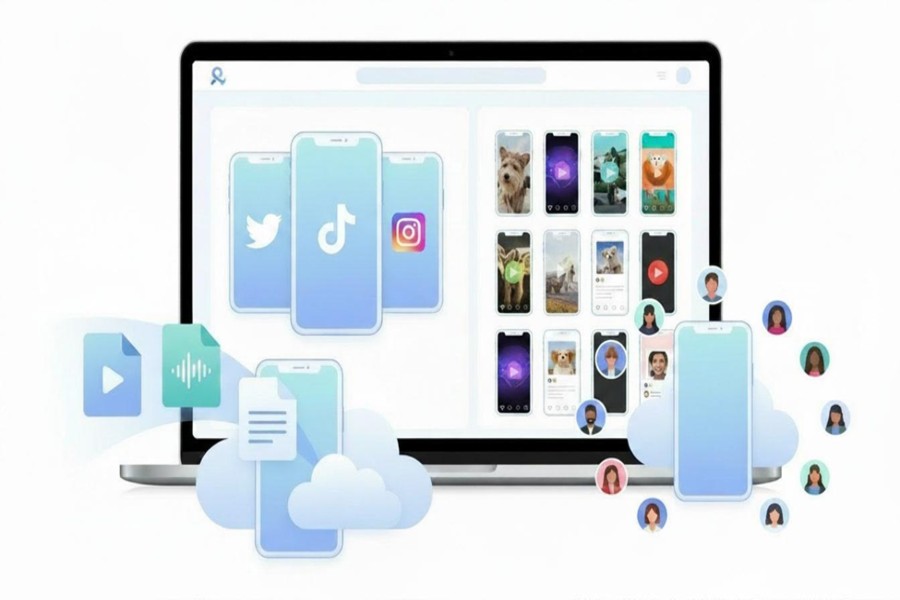
You manage 15 social media accounts. Maybe for your own business. Maybe for different clients. Either way, you know the feeling: scattered posts, missed comments, and a to-do list that never ends.
Here are 5 practical tips on how to manage multiple social media accounts for yourself, your business, or your clients without losing your mind. Not “post better content.” Real workflow changes that save hours every week.
Tip #1: Run Accounts Separately
Social media platforms will block you if they think one person controls multiple accounts. You log into 5 Instagram profiles from the same phone. Instagram sees that: same device ID, IP address, same login patterns. To them, you look like a bot or a spammer. The results in verification requests, password resets, shadowbans that kill your reach for weeks.
For mobile apps (Instagram, TikTok, Facebook): each account needs its own clean space – not shared with any other account. For web platforms each account needs its own browser profile. Separate cookies, cache, digital fingerprints.
What this looks like in practice. Instead of using multiple phones and browsers, you use cloud phones for the mobile accounts. Each Instagram and TikTok account gets its own Android phone that runs in the cloud. You open it on your laptop screen.
Each cloud phone has a unique device ID. Different carrier settings, different app data. To Instagram, cloud phone #2 looks completely unrelated to cloud phone #5. For LinkedIn (web only), you use a separate browser profile. Same idea – isolated environment, unique fingerprints.
This tip handles your infrastructure. Get this wrong, and nothing else matters because your accounts won’t survive.
Tip #2: Content Batching System
Most people batch content wrong. They sit down on Monday and try to write 30 posts from scratch. By post 20, the quality drops. Batch in stages, not all at once. Separate the creative work from the formatting work. Your brain uses different muscles for each.
Stage 1 – Brainstorming (Monday, 30 minutes): Write down 30 post ideas. Don’t edit. Just ideas: Headlines, questions, hot takes, tutorials, whatever comes to mind.
Stage 2 – Writing (Tuesday, 1 hour): Take those 30 ideas and turn them into captions. No images and hashtags. Just the words.
Stage 3 – Visuals (Wednesday, 1 hour): Add images, fonts, templates to the finished captions.
Stage 4 – Scheduling (Thursday, 30 minutes): Drop everything into your scheduler. A social media management tool like SchedPilot lets you queue a full month across every platform in one sitting. That matters most when you’re juggling multiple clients or if you prefer to let an AI agent handle the posting through its API and MCP for claude, chat gpt, hermes, openclaw, or cursor.
Why this works: You stay in one mode at a time. The writing mode is different from the design one. When you switch back and forth, you lose momentum each time.
Set a timer for each stage. Give yourself 30-60 minutes. When the timer ends, stop even if you’re not finished. Come back tomorrow. Forcing creativity never works.
Use a simple tracking sheet. A Google Sheet with 4 columns works better than any fancy tool:
- Date to post
- Platform (Instagram, TikTok, LinkedIn, etc.)
- Caption
- Visual asset link
Keep it simple or you won’t use it.
Tip #3: Set Different Posting Hours
A common mistake: posting content at the same time to every platform.
Example from real data:
- Instagram: 7 PM – 9 PM (people scroll after dinner)
- LinkedIn: 8 AM – 10 AM (people check before work starts)
- TikTok: 12 PM – 2 PM and 7 PM – 9 PM (lunch break + evening)
Create separate schedules. One for mobile-first visual platforms (Instagram, TikTok). One for professional platforms (LinkedIn). One for community platforms (Facebook groups, Reddit).
Limit daily posts per platform. More isn’t better, better is better.
- Instagram: 1-2 posts per day max
- LinkedIn: 1 post per day
- TikTok: 2-3 posts per day (but spread them out)
- Facebook: 1-2 posts per day
Posting 5 times on Instagram in 2 hours looks like spam. The algorithm notices and your followers notice too.
Why timing isn’t enough: the location problem
When you use a standard scheduler like Buffer, Hootsuite, or Later, you’re just picking a time. The platform sees the post coming from whatever server the scheduler uses – often a data center in Virginia or Ireland. Not your or your client’s city.
That matters because social platforms push content to local audiences first. An Instagram post from a server in Ireland won’t perform well for an audience in Austin, Texas. The algorithm doesn’t know you’re relevant there.
Cloud phones solve this differently. Need your account to look like it’s in London? Spin up a cloud phone hosted there. Need to manage a client’s account for their Miami-based audience? Choose a US East Coast location. The platform sees a real mobile device, real carrier data, real GPS coordinates.
This matters most for:
- Local businesses trying to reach customers in one city
- Agencies with clients in different regions or countries
- Anyone running geo-targeted campaigns
A post scheduled from a cloud phone in the right city will consistently outperform the same post pushed through a scheduler’s generic server. Different location – different results.
What social media managers are saying about schedulers
I spent some time searching through Reddit threads to see what actual users report about schedulers. The answers were mixed, which is fine. But a few comments stood out.
One user said: “I had great luck with scheduling but then it started removing the audio when posting.”
Think about that. You spend time recording a video, adding the right track, syncing everything. Then a scheduling tool removes the audio. No warning. Just a silent post going live to your audience. The platform sees low engagement because people scroll past a video with no sound. And you have no idea why.
Some people have positive experiences. Some don’t. The problem is inconsistency. A tool works fine for 6 months, then an update breaks something. Or the platform changes its API and the scheduler can’t keep up.
Unlike the scheduler issues, a cloud phone runs the native app. The same Instagram or TikTok app you’d use on a physical phone. Post a video with audio. The audio stays. Schedule a carousel. All images load correctly. What you see before hitting the Post button is exactly what your audience gets.
Tip #4: Use a Content Library
How many times have you searched your phone for “the graphic we used for the summer sale”? A content library fixes that.
What to keep in your library
- Photos you’ve already used (organized by month or campaign)
- Logo files (PNG and SVG versions)
- 5-10 brand fonts you actually use
- Color hex codes for your brand palette
- 20-30 evergreen caption templates (fill-in-the-blank style)
- Hashtag sets for different post types
Don’t overthink this. A folder on Google Drive or Dropbox works fine. Example:
Main folder: Content Library
- Subfolder: Images (then by year)
- Subfolder: Graphics (logos, templates, icons)
- Subfolder: Captions (then by platform)
- Subfolder: Hashtags (by topic or volume)
One document: Master asset list with links to everything. Pin it in your browser. You shouldn’t need more than 10 seconds to find any asset. If an asset takes longer than 5 minutes to find or recreate, your library failed. Reorganize that section.
Tip #5: Separate Strategy from Execution
Social media managers burn out because they’re always in execution mode. Post, reply, post, reply, check analytics, post. No time to think. Pick one day per week for strategy only. On that day, you don’t schedule anything. You don’t reply to comments. You just plan.
What strategy day looks like:
- Review last week’s analytics (15 minutes)
- Check what competitors posted (15 minutes)
- Brainstorm next week’s themes (20 minutes)
- Update your content calendar based on what’s working (20 minutes)
That’s 70 minutes. Do it in the morning before anyone messages you. Execution days are for doing only. No second-guessing. No scrolling for inspiration. This separation stops decision fatigue. You decide once on strategy day. Then you execute 4 times on execution days.
Block 2 hours of “reply time” daily. Don’t check comments all day. It kills your focus. Instead: 10 AM, 1 PM, 4 PM. Three blocks of 20 minutes each. Reply to everything. Then close the tabs.
Bringing It All Together: Your Next Steps
You don’t need to implement all 5 tips at once, that’s how people quit. Start with one. Try it for a couple of weeks. Then add another.
- Week 1-2: Start using cloud phones to avoid bans
- Week 3-4: Separate strategy from execution
- Week 5-6: Build a simple content library
- Week 7-8: Adjust posting hours per platform
- Week 9-10: Set up a content batching system
Each tip saves time on its own. Together, they change how you work.