
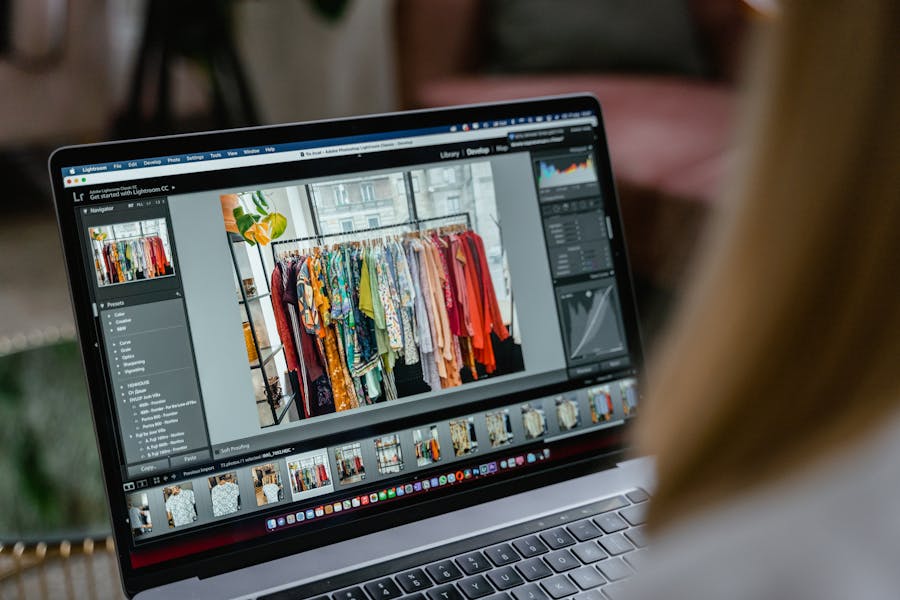
Moving your catalog production to a digital setup is a smart way to save time and money. Many brands now use AI fashion models to generate high-quality marketing materials in hours instead of weeks. However, the biggest risk is losing the unique “feel” of your brand. If your images look different every time you post, your audience will get confused. High-quality AI fashion photos must look like they belong to the same family. This guide shows you how to maintain a cohesive visual identity while using automation. We will look at how to set rules and build a system that works for your specific aesthetic.
Why AI Fashion Photos Need a Clear Brand System
Using artificial intelligence without a plan leads to visual chaos. If you prompt an AI tool for a model in a dress without specific parameters, you might get a moody, dark image one minute and a bright, sunny one the next. This inconsistency hurts trust. Research shows that consistent brand presentation can increase revenue by up to 23%. When your AI fashion models look like they were photographed in different universes, your website feels messy and unprofessional.
Consistency is about more than just the face of the model. It includes the way light hits the fabric, the specific height of the camera, and the level of contrast in the shadows. Without a system, AI tends to drift toward “average” looks that might not match your high-end or streetwear vibe. You need to control the environment, the posing style, and the technical settings. A clear system ensures that a customer browsing your shop feels a steady, reliable rhythm. It prevents the “uncanny valley” effect where images feel slightly off or fake because they lack a unified creative direction.
Define Your Brand Visual Rules Before Generating Images
You cannot fix a lack of direction by clicking “generate” more often. You must decide what your brand looks like in plain English first. This means looking at your previous successful shoots and identifying the patterns. Are your models always looking away from the camera? Is the lighting always soft and diffused? Once you define these traits, you can use an AI fashion models generator more effectively because you are giving it a specific map to follow.
Lock the Core Visual Identity
The core of your look is made of a few steady pillars. You need to define these specific elements to keep your output stable:
Color Palette: Define the dominant tones, such as warm neutrals or cool blues.
Lighting Style: Choose between hard sunlight, soft studio light, or moody shadows.
Model Direction: Decide on the age, ethnicity, and general “vibe” of your digital talent.
Pose Language: Pick if models should be static and formal or dynamic and moving.
Composition: Set the rules for how much space should be around the model in the frame.
Background Style: Determine if you want a clean white studio, a blurred street, or a textured wall.
Translate Brand Guidelines into AI-Friendly Directions
Once you have your rules, you need to turn them into language that software understands. Instead of saying “make it look expensive,” you should say “high-key studio lighting with soft shadows and a minimalist cream background.” Using an AI fashion model generator requires technical precision. You are essentially building a bridge between your creative vision and the machine’s capabilities. This process involves testing different descriptive words to see which ones trigger the right visual response. You want to create a library of terms that consistently produce the same style of shadows, skin textures, and fabric details across every single batch of images you create.
Build a Repeatable AI Fashion Image Workflow
Efficiency comes from doing the same thing the same way every time. If you start from zero for every new product, you will fail to stay consistent. A professional workflow uses a mix of saved settings and visual anchors. Data indicates that companies using standardized AI workflows reduce production time by 60% compared to those using manual experimentation. This allows your team to focus on the clothes rather than fighting with the technology. You want a process where any team member can step in and produce an image that looks like the rest of the collection.
Use Reference Images, Saved Prompts, and Model Parameters
Start with a “seed” image or a reference photo that represents your perfect look. By feeding this into your AI photoshoot fashion workflow, you provide a visual anchor for the software. You should also keep a document of “master prompts” that include your lighting and camera settings. For example, specify a “50mm lens” or “f/2.8 aperture” to ensure the depth of field remains the same across your entire website. If you find a specific face or body type that fits your brand, save those parameters. This ensures that your AI models fashion do not change their appearance between the spring and summer collections, maintaining a familiar face for your customers.
Keep Product Accuracy Separate from Creative Styling
The biggest challenge in digital fashion is making sure the clothes look real. It does not matter how beautiful the model is if the dress looks like a different material. You must focus on the texture, the drape, and the way the patterns align. Many successful brands use a two-step process: they generate the artistic scene first and then refine the product details to match the physical item. Using AI generated fashion models is a great way to show off a lifestyle, but the garment must remain the star. Ensure the colors are color-matched to your actual fabric swatches to prevent high return rates, which currently cost the industry billions of dollars annually.
Keep Human Creative Review in the Process
Technology is a tool, not a replacement for a creative director. Even the best systems will occasionally produce an image with a weird shadow or an unnatural pose. Human review is the final gatekeeper for quality. Your creative team needs to check every image for “brand fit.” This means asking if the image feels like something your brand would actually publish. It is also the time to look for technical errors, like fingers that look strange or hair that blends into the background.
Reviewing images also ensures that you are meeting ethical and diversity standards. You want your digital models to reflect your real-world customers. A human eye can spot when a generated image feels too “perfect” or “plastic,” which can alienate modern shoppers who value authenticity. Around 70% of consumers say they prefer brands that show diverse and realistic people. Your review process should catch these nuances before an image goes live on your store or social media feed.
Maintain Consistency Across Ecommerce, Ads, and Social Channels
Your visual rules need to bend without breaking. A product detail page (PDP) usually needs a clean, simple look so the customer can see the item clearly. However, an Instagram ad might need more drama and movement. The key is to keep the “DNA” the same. Even if you change the background from a studio to a park, the lighting style and the model’s personality should stay consistent. This is part of learning how to create AI fashion models that work for your specific business needs.
When you use the same digital model across different platforms, you build brand recognition. A customer might see a beautiful lifestyle shot on Pinterest and then recognize the same model when they land on your website. This creates a seamless journey. You can use it to create a variety of content, from vertical videos for TikTok to wide banners for your homepage, all while keeping the same facial features and styling rules. This multi-channel consistency makes your brand feel much larger and more established than it might actually be. Taking that consistency offline is equally powerful. QR codes created with Uniqode on swing tags, lookbooks, or print ads can link customers directly to your digital catalog, keeping the same branded experience intact whether they discover you in a store or on their phone.
Review Performance and Refine the Visual System
The final step is to look at the data. Are people clicking on your AI-generated ads? Are they returning products because the color looked different online? Use this feedback to tweak your system. If customers respond better to models with a specific look, update your master prompts to lean into that style. Continuous improvement is necessary because AI technology moves fast. What worked six months ago might be outdated today as newer, better tools become available for your brand.
Track your engagement metrics and conversion rates specifically for AI-generated content. If you see a dip in performance, it might mean your look is becoming too repetitive or “robotic.” Refresh your backgrounds or poses while keeping your core lighting and model identity the same. By treating your AI system as a living document, you ensure your brand stays fresh and relevant. Using a consistent approach to AI fashion photos will eventually become a core part of your digital strategy, allowing you to scale your content production without losing the soul of your fashion brand.