
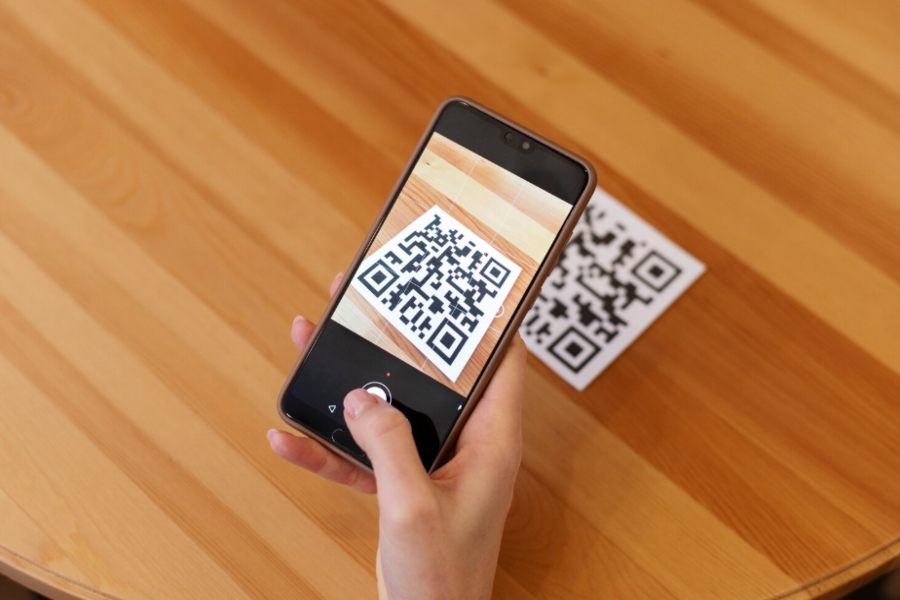
A QR code looks trivial from the outside. Black squares on a white background, scan with a phone, done. The reality is more interesting. Behind that pattern sits a Reed-Solomon error correction layer, a versioned data-capacity matrix, and a set of decisions that determine whether the code will scan reliably from a faded asset tag in a server room three years from now.
This guide walks through how to make a QR code that actually works in production: how the encoding process is structured, which versions and error-correction levels to choose, the generation methods that scale, and the operational pitfalls that quietly break codes long after they have been printed.
What Actually Happens When You Generate a QR Code
A QR code is a 2D matrix barcode that encodes binary data into a grid of modules – the small black and white squares. Three large position markers in the corners give scanners orientation; smaller alignment patterns help correct skew when the code is read at an angle. Between those, the data region encodes the payload using one of four modes: numeric, alphanumeric, byte, or kanji.
Two parameters determine the size and density of the resulting matrix. The version, numbered 1 through 40, controls the matrix dimensions – version 1 is a 21×21 grid, version 40 is 177×177, and each step adds 4 modules per side. The error correction level (L, M, Q, or H) controls how much damaged data the decoder can recover, restoring 7%, 15%, 25%, or 30% of corrupted modules respectively.
When you make a QR code, the encoder picks the smallest version that fits your data at your chosen error correction level, applies a mask pattern to balance the distribution of dark and light modules, and writes the final matrix. That mask is not cosmetic – without it, large empty areas in the data region can confuse decoders and cause scan failures.
How to Make a QR Code: The Standard Process
The mechanics of creating a single QR code are straightforward. Pick an encoder (an online generator, a library, or an asset management platform), input your payload (URL, text, vCard, Wi-Fi credentials, or any short string), select an error correction level, and export as PNG, SVG, or EPS. SVG is preferable when you need to scale without quality loss. For asset labels printed on small stickers, vector formats avoid the moiré and aliasing issues that plague resized PNGs.
The payload determines a lot. A short URL like https://acme.co/a/A7F2 fits in version 2 or 3 at level M. A long parameterized URL with tracking tokens can push the encoder to version 8 or higher, which means a denser matrix and a larger minimum print size. If you control the destination, use short identifiers and resolve them server-side. This is one of the highest-leverage decisions in any QR code workflow, and most people skip it.
Static vs Dynamic QR Codes
A static QR code encodes the destination directly into the matrix. The data is fixed at generation time. If the URL changes, the code is dead and has to be reprinted.
A dynamic QR code encodes a short redirect URL pointing to a service that resolves to the actual destination. You can change where it points without reprinting. Dynamic codes are essential for any asset tag, signage, or printed material with a long lifespan, and they unlock analytics, conditional routing, and access controls that static codes cannot support.
The tradeoff is dependency. Dynamic codes require a redirect service that must stay reachable for the life of the code. Self-hosted redirects on infrastructure you already operate are usually safer than free third-party services that may quietly disappear in two years and take your asset tags down with them.
QR Code Versions, Capacity, and Error Correction
Capacity is not linear, and the relationship between version, error correction level, and how much data you can encode is worth understanding before you generate codes for any large deployment. The table below shows practical limits for common versions across error correction levels, expressed in alphanumeric characters (the most common encoding for URLs):
| Version | Modules per side | Level L (7%) | Level M (15%) | Level H (30%) |
| 1 | 21 | 25 | 20 | 10 |
| 3 | 29 | 84 | 67 | 35 |
| 5 | 37 | 154 | 122 | 67 |
| 10 | 57 | 513 | 395 | 213 |
| 20 | 97 | 1532 | 1167 | 605 |
| 40 | 177 | 4296 | 3391 | 1852 |
A few practical takeaways. Level H gives you 30% damage tolerance, which is what you want for asset tags that may get scratched, dirty, or partially obscured. The cost is roughly halved capacity at the same version. Beyond version 10, the matrix becomes hard to scan from typical phone cameras at typical distances – keep payloads short enough to stay in the version 1-10 range for any code intended to be scanned routinely.
Choosing the Right QR Code Generation Method
There are three real options for generating QR codes at scale: web-based generators, code libraries, and integrated platforms that handle generation as part of a broader workflow. Each has a defensible use case, and the wrong choice tends to surface as a maintenance problem six to twelve months after deployment.
| Method | Best for | Strengths | Weaknesses |
| Web generator | One-off codes, posters, marketing material | Fast, no setup, free | No control over redirects, often injects tracking, codes are orphaned from your records |
| Code library | Programmatic generation in pipelines or scripts | Full control over version, error correction, output format | Requires engineering effort; you own storage and lifecycle |
| Integrated ITAM/ITSM platform | Asset tagging, fleet labeling, audit-grade tracking | Codes tied to live asset records; lifecycle, history, and scans logged centrally | Higher upfront investment; requires platform adoption |
| Industrial label printer firmware | On-demand label printing at receiving / staging | Generates and prints in one step; durable label stock | Limited to the printer’s encoder; usually static codes only |
Web generators are fine for a one-off poster. They are a poor choice for any system that needs to track, regenerate, or audit codes – the codes exist outside your control, and many free services bury you in tracking redirects you never agreed to.
Libraries like qrcode for Python, qrcode-generator for Node, ZXing for the JVM, and segno (pure-Python with no dependencies) give full control and integrate cleanly into pipelines. This is the right choice for engineering teams generating codes programmatically. Integrated platforms are the right answer when QR codes are a means to an end rather than the end itself: if you are tagging laptops, network equipment, or facility assets, the code needs to resolve to a record in your system, and generating it inside the platform means the linkage is automatic.
Common Mistakes That Break QR Codes in Production
Most production failures are not generation problems – they are deployment problems. The same handful of issues come up repeatedly across deployments large and small:
• Insufficient quiet zone. QR codes require a clear margin of at least 4 modules around the matrix. Codes printed flush against text, borders, or other graphics often fail to decode.
• Wrong error correction for the environment. Indoor office tags can run at level M. Warehouse, outdoor, or industrial tags should default to level H. Getting this wrong is invisible until labels start aging.
• Print resolution too low. A version-5 code at one inch needs at least 300 DPI. Below that, modules bleed into each other and decoding falls off a cliff at scan distance.
• Color contrast inverted or insufficient. Dark modules must be substantially darker than light modules. Pastel-on-white or branded color schemes that look good in mockups frequently fail in production scanners.
• Unprotected dynamic code redirects. If the redirect service goes down or the domain expires, every code printed against it becomes a dead link. Treat the redirect service like production infrastructure, not a side project.
Each of these is trivial to fix at design time and expensive to fix after thousands of stickers have been applied.
Generating QR Codes for IT Asset Management at Scale
This is where most QR code guides stop being useful. Generating one code is easy. Generating, tracking, and maintaining codes for hundreds or thousands of physical assets – laptops, monitors, network gear, printers, lab equipment – is an operational problem, not a generation problem.
A workable approach treats each QR code as a pointer to a unique asset record. The code itself encodes a short, opaque identifier such as https://assets.example.com/a/L7F2X rather than the asset details directly. The server resolves that identifier to the current asset record, which can be updated, transferred, retired, or audited without ever reprinting the label. This is exactly the dynamic-code pattern, applied at fleet scale.
Generation should be batched and tied to record creation. When a new laptop is registered in the asset system, a QR code is produced automatically with the right version, error correction, and label format. Manual generation from a web tool does not scale beyond a few dozen assets, and it produces orphaned codes whose mapping nobody can reconstruct two years later.
Auditing is the part most teams underestimate. A scan of a tag on a server should not just open a webpage – it should log who scanned it, when, and from where, and surface that data to the team responsible for the asset. This is where the QR code stops being a cosmetic feature and becomes part of operational visibility: physical inventory checks become five-minute walks instead of half-day spreadsheet exercises.
When QR Codes Become Part of an Operational System
For organizations past the spreadsheet stage, the question is not really how to make a QR code – it is how to integrate codes into the asset lifecycle. Provisioning, deployment, maintenance, transfer, and retirement should all touch the same record the QR code points to. That requires a system that handles asset management, network discovery, and helpdesk operations together, and that treats label generation as a first-class workflow rather than an afterthought.
Mature ITSM and ITAM platforms – for example, the integrated asset and service management suite from Alloy Software – generate, manage, and resolve QR codes as part of their native asset records, which removes the bookkeeping burden that ad-hoc generation creates. The label on the device becomes a stable handle into the entire history of that asset: who it was issued to, what tickets it has been involved in, what software is installed, and when it was last audited. This is also where compliance gets easier, because regulated environments – healthcare under HIPAA, public-sector security policies, anything subject to financial audit – require traceable records of physical assets, and codes generated and maintained inside the same system as the asset register turn audit prep from a manual reconciliation exercise into a query.
Print, Material, and Environmental Considerations
The last layer that quietly determines whether your codes work is the physical one. Label material and ink chemistry matter as much as the code itself. For indoor office equipment, standard polyester or vinyl labels with thermal transfer printing hold up for the lifetime of the asset. For warehouse and shop-floor equipment, you want polyester with a laminate overlay; UV exposure and abrasion will eat through unprotected labels in months. For outdoor assets, consider engraved metal plates or industrial-grade laser-marked labels, since printed stickers rarely survive sun and rain past a year or two.
Match the label size to the QR version. A version-5 code at level H needs roughly a 1.2-inch square to scan reliably from 6 to 12 inches away. Smaller codes work for close-range scanning but fail when the asset is mounted high or in a cramped rack. The relationship is geometric, not linear – halving the print size more than halves the reliable scan distance.
Final Thoughts
The mechanics of how to make a QR code are well understood and freely available. The harder questions are the ones that determine whether your codes still work three years from now: what payload they carry, how you regenerate them when systems change, how the underlying records are maintained, and how the codes integrate with the operational systems that actually use them.
Treat QR code generation as the surface of a deeper problem – asset visibility, operational traceability, and lifecycle management – and the design decisions become much clearer. A code on a sticker is just a pointer. The value lives in what it points to, and how reliably that record stays current as the world around it changes.