
| What is AI image blending?
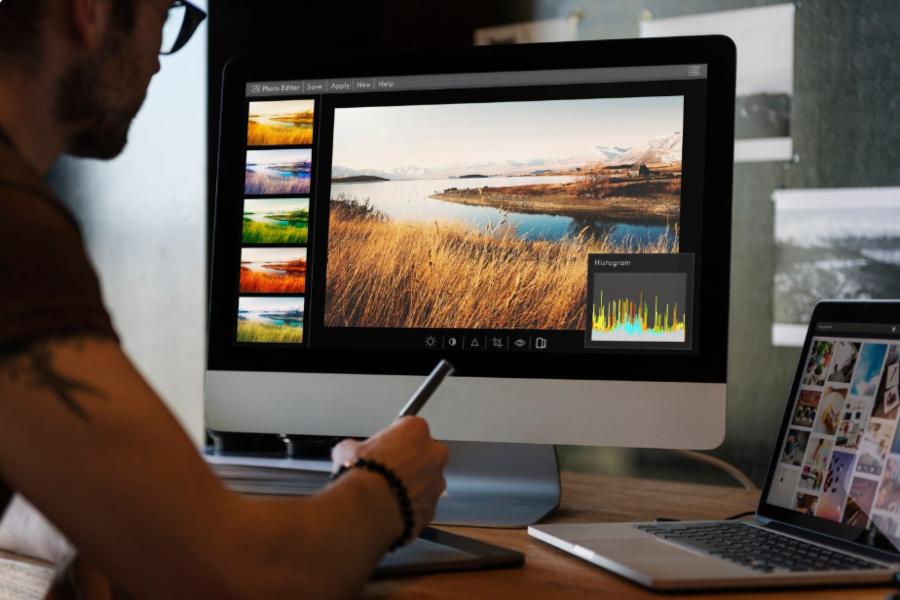
AI image blending is the process of merging elements from two or more images into a single, coherent picture. Instead of manual masking and color-matching, the software detects subjects, matches lighting and perspective, and fuses the edges automatically — so the composite looks like one photograph rather than a paste-up. |
For designers, this is the part of the AI image stack that quietly removes the most tedious work. Below is how it actually works, the techniques behind it, and where it fits a design workflow.
How AI blends two images, stage by stage
A blend runs through four stages. Each one automates a task that used to be done by hand on a layers panel.
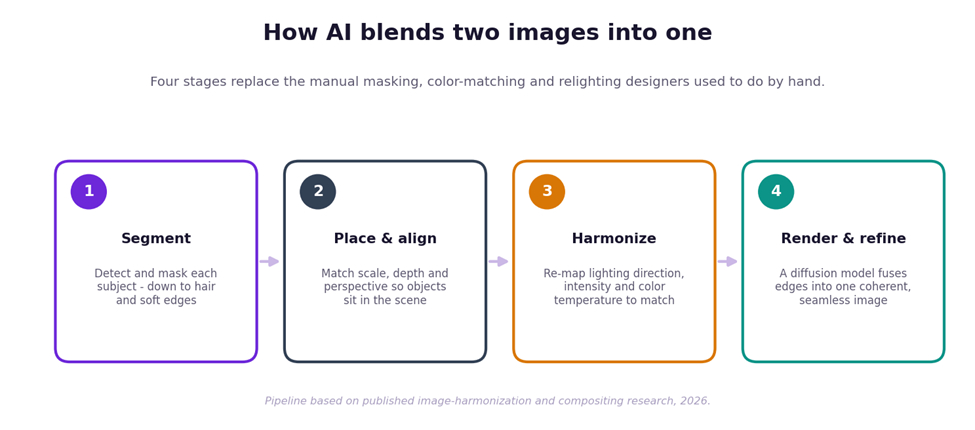
The four stages of an AI blend.
1. Segmentation: finding the subject
First the model performs segmentation — deciding which pixels belong to a person, a product or a background. Modern segmentation is good enough to cut around hard cases like loose hair, glass and soft shadows, which is exactly where manual selections used to fall apart.
2. Placement: scale, depth and perspective
Next the cut-out is positioned in the target scene. The model estimates depth and perspective so the subject sits at a believable size and angle, and so foreground and background occlude each other correctly rather than floating.
3. Harmonization: matching light and color
This is the step that sells the illusion. Image harmonization analyzes the destination scene to read the light’s direction, intensity and color temperature, then re-maps the subject’s lighting and tones to match. Without it, a composite looks “cut and pasted” because the two halves disagree about where the sun is.
4. Rendering: fusing the edges
Finally a generative model — increasingly a diffusion model — fuses everything into one image, smoothing the seams and reconciling fine detail. Research systems like latent-diffusion harmonizers do this by denoising the merged composition until the segments agree, which is why the best results read as a single capture.
What a good blend actually matches
When people say a composite “looks real,” they are responding to five things lining up at once.
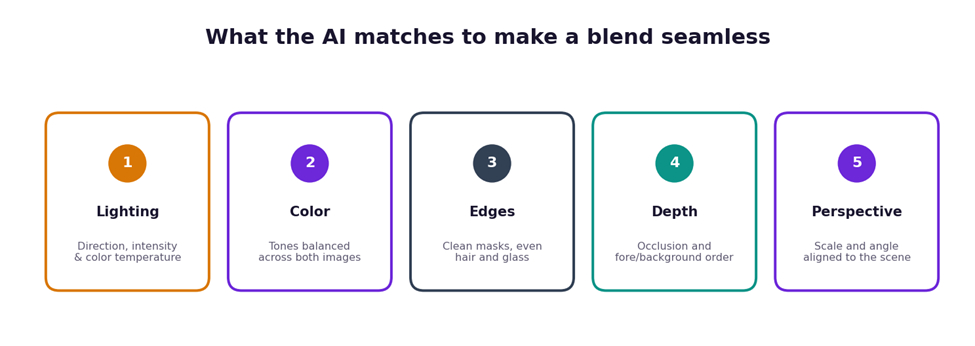
The five signals a blend has to get right.
The techniques behind it, in plain terms
| Technique | What it does |
| Segmentation / masking | Identifies which pixels are the subject and cuts a clean edge, even around hair |
| Image harmonization | Matches color and lighting of the subject to the destination scene |
| Lighting matching | Reads light direction, intensity and color temperature, then re-maps it |
| Depth estimation | Works out fore/background order so objects occlude naturally |
| Diffusion model | Generates and refines the merged image by denoising it step by step |
| Compositing | The overall craft of combining sources into one coherent frame |
Manual compositing vs AI blending
The same job, two eras. The AI column is what tools now automate from a single text description.
| Task | The manual way | With AI blending |
| Cut out the subject | Pen-tool path or manual masking | Automatic segmentation, including hair |
| Match lighting | Hand-painted dodge and burn | Lighting harmonization re-maps it |
| Match color | Manual curves and grading | Tones balanced automatically |
| Align perspective | Free-transform by eye | Depth and perspective estimated |
| Blend the seams | Layer masks and feathering | Generative model fuses the edges |
| Skill needed | Experienced retoucher | A plain-English description |
Where it fits a design workflow
For publication and brand work, blending is a speed layer, not a replacement for art direction. It is ideal for fast concept comps, social variations, product-in-scene shots and mockups where a believable composite matters more than pixel-level control. A general-purpose AI image blending tool like Overchat’s image combiner lets you describe the merge in plain English, matches lighting and perspective automatically, and exports a watermark-free PNG in one of five aspect ratios — enough for most layouts, while a manual editor still wins for exacting retouching.
It helps to know what sits behind that combiner. It is one of 150+ purpose-built tools inside Overchat AI, an all-in-one app spanning image, video, audio and text generation that runs on the latest models from GPT, Claude, Gemini, Grok, Kimi and Qwen. It works on web, iOS and Android and is used by more than 350,000 people. For a team that would otherwise pay for separate ChatGPT, Claude and Gemini subscriptions, having those models under one login is the practical draw, though for a single blend you only need the one tool.
FAQ
What is AI image blending?
It’s merging elements from two or more images into one coherent picture. The software detects subjects, matches lighting and perspective, and fuses the edges automatically, so the result looks like a single photo.
How does AI blend two images so seamlessly?
It segments the subject, aligns scale and perspective, harmonizes lighting and color to the scene, then uses a generative model to fuse the edges — matching the signals that make a composite look real.
What is image harmonization?
Image harmonization adjusts a pasted subject’s color and lighting to match its new background — re-mapping light direction, intensity and color temperature so the two parts agree.
Do AI blending tools use diffusion models?
Increasingly, yes. Diffusion models generate and refine the merged image by denoising it step by step, which tends to produce smoother, more photorealistic blends than older methods.
Is AI blending as good as manual compositing?
For speed and believable results it’s excellent, and far faster. For pixel-perfect, high-stakes retouching, a manual editor still offers more precise control.
What can I blend with an AI image tool?
Subjects with backgrounds, products into scenes, separate people into one frame, or before-and-after comparisons. Tools like Overchat accept JPG, PNG or WEBP and output a PNG.