

Vector images first emerged as a niche solution for simple icons, but they’ve since evolved into a powerhouse of modern design. Today, they are the backbone of everything from the smallest business cards to the massive billboards towering over highways. Because they offer total flexibility, vector graphics have become an essential tool for any business looking to boost its reputation and maintain rock-solid visual consistency.
But what actually is a vector image, what makes it tick, and how can you deploy it to gain a competitive edge? These are questions that forward-thinking business owners ask every day. If you want to sharpen your brand’s visual identity, you’re in the right place. Read on to discover the power of vector images and learn how to make them work for you.
What is a vector image?
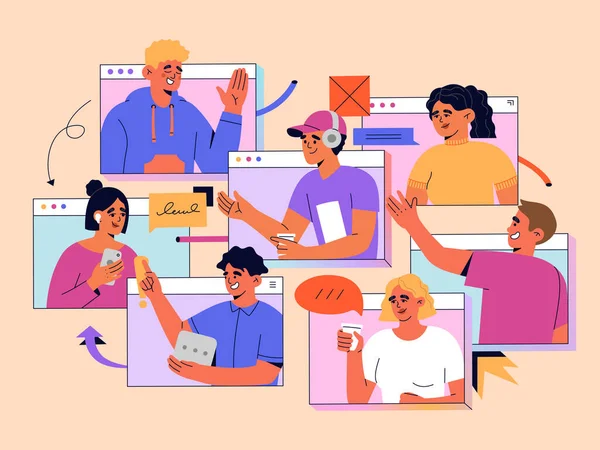
Unlike traditional raster images, which are made of a fixed grid of colored squares (pixels), vectors are mathematical paths consisting of points, lines, and curves. To make it even simpler, consider a raster as a photo of a house, while a vector is the blueprint that allows you to build that house at any size without losing structural integrity.
The primary draw of vectors is their resolution-independent nature, making them perfect for branding. They solve the limitations of raster images, which lose clarity and become pixelated when enlarged. With vectors, however, the quality remains crisp whether it’s a small icon, a large poster, or a huge billboard. That’s why they work well as logos, icons, illustrations, and other creative assets.
What makes a vector art piece unique is, of course, its infinite scalability, meaning zero quality loss regardless of dimensions. However, its advantages go beyond this. Vectors also offer a remarkably small size (since they are code-based, they often occupy kilobytes, while high-res rasters take up megabytes) and full editability (you can change a single curve or color without affecting the rest of the image, which is not possible with standard photos). Another key benefit is availability—you can find vectors for any taste, purpose, and budget. From premium stock vectors on DepositPhotos to free graphics from unDraw, the internet offers countless resources to enhance your projects.
Examples of vector graphics in different settings
Vector graphics can be used for multiple purposes. For example, they often appear as part of:
- Brand identities: Logos and wordmarks
- UI/UX components: Buttons, toggles, and navigation bars that must remain crisp on Retina displays
- Data visualizations: Complex infographics and charts where text and lines must stay sharp
- Technical illustrations: Product schematics or how-it-works diagrams for guides and manuals
- Environmental graphics: Wayfinding signs, floor decals, and signage for physical storefronts
FAQ: What are the common use cases of vector images in a business?
- Responsive web design: Using SVGs (scalable vector graphics) to ensure site icons and logos load quickly and look perfect on any screen resolution
- Corporate merchandise: Providing printers with vector files for screen printing or laser engraving, where clean lines are essential
- Dynamic ad campaigns: Easily swapping brand colors or seasonal themes across a full set of banners without redrawing assets
- Mobile app interfaces: Keeping interactive elements lightweight, so performance isn’t slowed by heavy image files
- Professional pitch decks: Using vector backgrounds and shapes to maintain a polished, high-end look on large screens
5 tips to make your online presence catchier with vector graphics

#1. Challenge the flat design trend with vector textures
Modern design can often feel overly sterile. Use vectors to introduce halftone or gradients that add depth while staying lightweight. Contrast clean, modern typography with gritty vector textures to create a high-end, editorial feel that cuts through digital noise without slowing down your site.
#2. Bridge the gap with modern-vintage aesthetics
Vintage styles are notoriously difficult to print and scale when rasterized.
Use vector line art to recreate old engravings or mid-century rubber hose animations. This gives your business a heritage feel with the technical flexibility of a modern brand—and keeps assets sharp even on 4K displays.
#3. Build a brand library of custom spot illustrations
Designing with your business in mind drives success and competitiveness. Luckily, you don’t need to build a full library at once—starting small is enough. Create a pack of 10-15 bespoke vectors that reflect your industry. Using them consistently across emails, social media, and your website creates a recognizable brand experience.
#4. Deploy high-impact vectors for limited-time offers
Limited-time offers (LTOs) should feel urgent and distinct from your evergreen branding. Use bold, sticker-style vector badges or exaggerated 3D-effect shapes (like starbursts or ribbons) specifically for promotions. Because they are vectors, you can use vibrant colors without worrying about blur or bleed on digital screens.
#5. Utilize abstract storytelling for complex services
If your business revolves around selling intangible products (such as software or consulting), photography may be too limiting.
Use abstract geometric vectors to visualize concepts like growth, security, or connectivity. These shapes act as visual metaphors that guide the customer’s perception without relying on cliché office imagery.
Conclusion
Vectors have long earned their place in the design spotlight—and for good reason. They offer a level of scalability and efficiency that pixels simply can’t match. Whether you’re using them for a new UI/UX project or a full-scale brand identity overhaul, having a clear strategy is essential. Apply these five exemplary tips, and you’ll do more than just use vector images—you’ll turn them into a strategic asset that keeps your brand crisp, professional, and memorable in a crowded market.